Social media tools for agencies: five blocks sold as one market
Five categories are sold with the same words, and the option that wins most of these decisions is not sold at all.
Six tabs open, five pricing pages, and none of them compare. One counts followers on a profile you do not own. One pushes approved posts at employees. One schedules and answers comments. One builds a branded PDF from connected channels. They are sold with the same words and they solve four different problems.
This guide maps the social media tools for agencies market into the five blocks it actually contains, says which problem each one solves, and names the sixth option that wins most of these decisions: a spreadsheet and a reminder in a channel.
TL;DR
| Block | Family | What it is actually for |
|---|---|---|
| Public stats trackers | Social Blade and peers | Looking up one profile's numbers |
| Employee advocacy | DSMN8, Vulse and peers | Pushing approved content for staff to share |
| Management suites | Hootsuite, Sprout, Metricool | Publishing, inbox, paid social |
| Agency reporting | AgencyAnalytics and peers | Branded dashboards from connected channels |
| Personal branding tools | Taplio and peers | One person, usually one network |
| A sheet and a reminder | Yours | Whatever someone remembers |
The five blocks, and the problem each one solves
Agencies lose weeks because these are compared feature by feature when they are not in the same business. Read them by the problem instead.
- Public stats trackers. Read a public profile and show its numbers. No connection, no account, works on anyone. Built for looking something up, one profile at a time. See Social Blade alternative.
- Employee advocacy. Give staff a library of approved posts and measure who shared them. Built for enterprise comms, and it measures participation in the library rather than what people published. See employee advocacy software alternative.
- Management suites. Schedule, reply, run ads, on accounts a customer connects. Built for operating an account. See Hootsuite alternative for agencies.
- Agency reporting. Pull connected marketing channels into a white label dashboard. Built for proving work to a client. See AgencyAnalytics alternative.
- Personal branding tools. Help one person write and post, usually on one network, for the account they sign in with. Built for a creator, not a portfolio.
Nothing in that list is bad. The mistake is buying one to solve another one's problem, which happens because all five describe themselves as social media tools.
The tool that wins most of these decisions
A spreadsheet, a reminder in a channel, and someone senior asking on a Thursday whether everyone posted. It is free, it needs no procurement, and it is where a large share of these programs actually live.
It also fails the same way every time. The sheet is filled by the people being measured, so it decays exactly when the program is struggling and you most need the truth. Nobody lies. They just stop updating it, and a month later nobody can say what happened.
Any tracking that depends on the person being tracked will be accurate right up to the week it matters.
The full version of that argument, including when the sheet is genuinely the right answer, is in tracking social media in a spreadsheet.
The line that decides everything: connection
Four of the five blocks need each account connected, because they write to it or read private data from it. That single fact drives most of what an agency experiences as friction.
| Agency situation | Needs connection | Possible |
|---|---|---|
| Schedule a client's posts | Yes | Yes, connect |
| Report a client's reach | Yes | Yes, connect |
| Track a client who posts themselves | No | Yes, public |
| Watch a prospect before pitching | Impossible | Yes, public |
| Benchmark a competitor | Impossible | Yes, public |
| Keep history after a client leaves | Lost | Kept |
The bottom three rows are the agency half of the job, and no amount of connectors reaches them. What is readable without a login, network by network, is mapped in public social media metrics.
The objection you will hear, answered
Somewhere in a procurement conversation, a vendor built on an official developer platform will say that reading public profiles is scraping and their data comes from the network itself. It is a fair point and it deserves a straight answer rather than a deflection.
- What public reading is. Looking at what a logged out visitor sees, on handles someone gave you. No login, no password, nothing behind an authentication wall.
- What the official route buys. Private metrics such as reach and impressions, and a formal relationship with the platform.
- What it costs. The account owner's grant, per person, renewed when people join or leave. A prospect or a competitor can never be in it.
- The honest risk on our side. A profile can go private, and platform terms move. Verify the current terms at the time you act, and treat any statement about them, including this one, as something to re-check.
If your program needs reach per post for people who will all connect their accounts, the official route is the better fit and you should take it. If it needs to include people who will not connect, and accounts you do not own, no developer platform reaches them.
Everything in one place, defined honestly
The phrase usually means every network in one dashboard, which most suites deliver and which is the least interesting version. For an agency the useful definition has three parts, and only the first is commonly sold.
| One place for | Commonly sold | What it requires |
|---|---|---|
| Every network | Yes | Connectors |
| Every client, separated | Partly | One space per client |
| Accounts you do not own | No | Reading public profiles |
A board holding clients, prospects and competitors side by side is a different object from a publishing dashboard. It answers who is publishing, who has stopped, and who is gaining, across a portfolio, on one screen.
How to choose, by agency shape
- You publish for clients. Keep a suite. Nothing here schedules a post, and pretending otherwise would cost you a quarter.
- Clients publish themselves. A tracking tool is the whole job, and a publishing seat nobody opens is the most expensive line in the stack.
- Reporting eats the end of every month. Give the client a live read only view instead of a deck, and keep the monthly note for judgement rather than proof of work.
- You are running it in a sheet today. Do not buy anything until you have written down which number stopped being updated first. That number is your requirement.
What to look for, whichever block you buy from
- Adding an account is pasting a handle. If it opens an authorisation screen, it can never cover a prospect.
- Clients are separated by construction. One space each, so nobody ever sees another client's board by accident.
- A read only seat for the client. Without it you are still exporting decks every month.
- History that belongs to you. Readings kept on your side, not rented from a connection that ends with the retainer.
- No invented numbers. A tool showing a competitor's reach is modelling it. Ask how, and label it in your reports.
The last one matters more than it looks. A dashboard that mixes measured and estimated figures without saying which is which will eventually put a number you cannot defend in front of a client.
Three questions that end a demo early
Vendors across all five blocks answer the same brochure questions. These three separate them fast, because the answers are structural rather than roadmap.
- Can I add an account nobody will connect? If no, half the agency job is out of scope and you will need something else beside it.
- What happens to my data when a client leaves? If the history lives behind their connection, you are renting your own reporting.
- Which numbers here are measured and which are estimated? A vendor who answers this precisely can be trusted with the rest.
None of the three is a trick. They are the questions whose answers you cannot change later, which is exactly what a procurement decision should turn on.
How Groowth handles this
Groowth is the watching half, and only that. You paste public handles on TikTok, Instagram, YouTube and LinkedIn, it reads them once a day, and it counts what was published against the cadence each person agreed. Nothing is connected, nobody logs in, and an account you do not own behaves exactly like one you do.
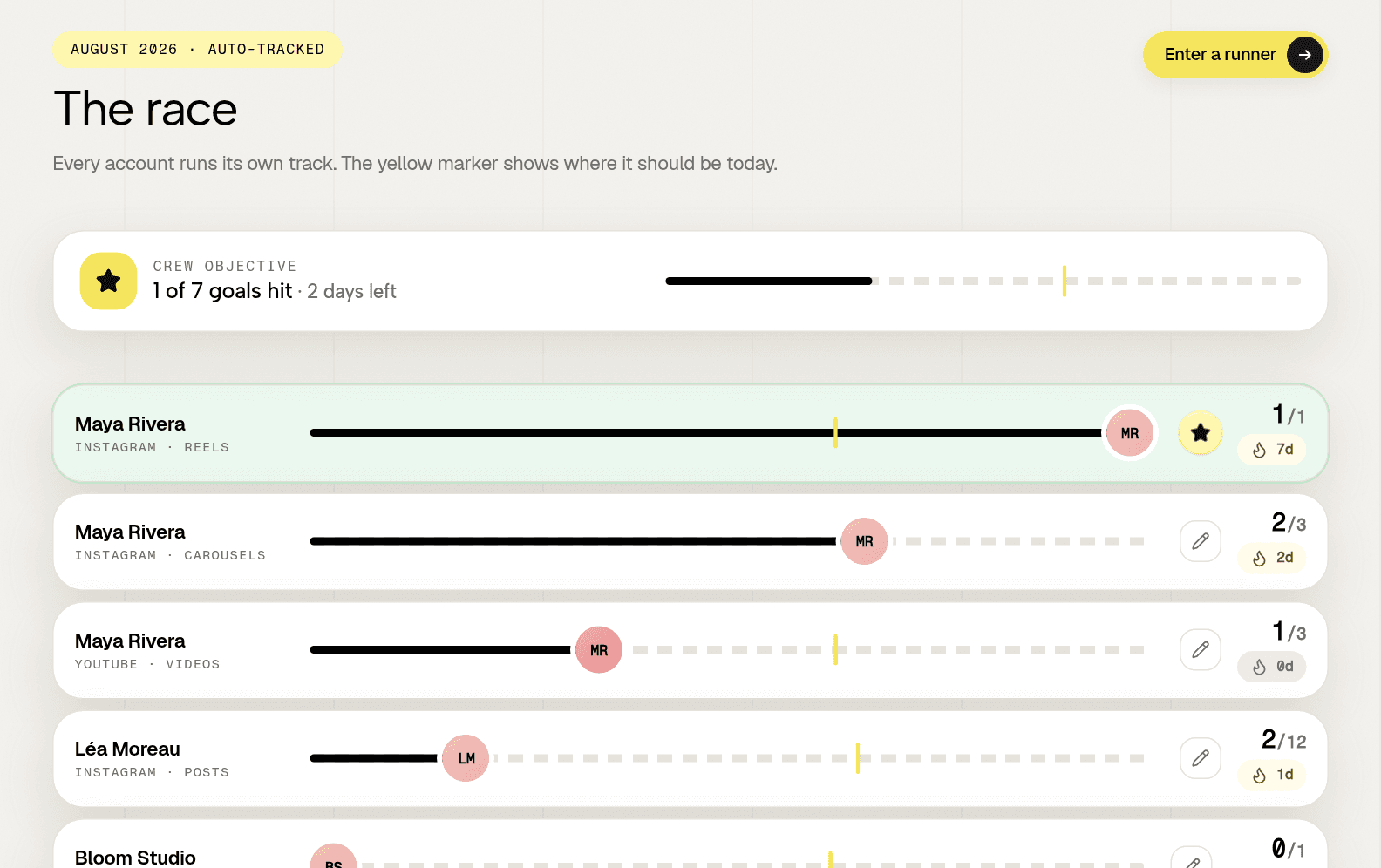
It does not publish, schedule or answer a comment, on purpose, and it never shows reach or impressions because it cannot see them. One organisation per client, a read only seat for the client, three accounts free with no card, and a free audit that reads one public profile with no account at all.
Frequently asked questions
What kinds of social media tools do agencies compare?
Five blocks sold with the same words: public stats trackers, employee advocacy platforms, management suites, agency reporting dashboards, and personal branding tools. They solve four different problems, which is why feature comparisons between them go nowhere.
What do most agencies actually use?
A spreadsheet with a reminder in a channel. It is free and it works until the program struggles, because the sheet is filled by the people being measured and it stops being updated exactly when the truth matters most.
Which agency tasks need a connected account?
Anything that writes to an account, or reads private metrics such as reach. Counting what was published, follower trends and public engagement needs no connection, which is the only way to include a prospect, a competitor, or a client who posts from their own phone.