Hootsuite alternative for agencies that need to watch, not publish
A suite connects the accounts you post from. Half an agency's month happens on accounts it will never connect.
The invoice arrives and someone asks what the twelve connected accounts are for. Four belong to a client who left in March. Two are duplicates from a rebrand. The three you actually wanted to watch this quarter, a prospect and two competitors, are not on the list at all, because you cannot connect an account you do not own.
This page is a Hootsuite alternative for agencies written for the watching half of the job: tracking what clients published, benchmarking competitors, reporting monthly. It says what Hootsuite is for, where it stops, and what it does that nothing here replaces.
TL;DR
| Hootsuite | Groowth | |
|---|---|---|
| Built for | Publishing and inbox | Tracking and cadence |
| Adding an account | Connect and authorise | Paste a public handle |
| Accounts you do not own | Not possible | Same as any other |
| Schedules posts | Yes | No |
| Shows reach | For connected accounts | Never |
| Client leaves | Access and history go | History stays |
What Hootsuite is built for
Hootsuite is built around scheduling, a unified inbox and paid social, across the accounts a customer connects to it. That is a real job, it is the job most agencies were hired to do, and a tool that does it well is worth paying for. Nothing on this page argues otherwise.
The consequence of that design is the one thing worth understanding before you compare anything: every account it works with has to be connected to it, because it writes to those accounts. Connection is not a setup step, it is the architecture.
Where it stops for an agency doing veille
Watching is the half of the job that happens outside the accounts you operate, and connection is exactly what it cannot have. Four situations come up in every agency and none of them survives the architecture.
- A prospect. You want three months of their publishing history before the pitch. They have given you nothing, so there is nothing to connect.
- A competitor. Your client wants to know how they compare. Their competitor will not be authorising anything.
- A client who publishes themselves. The founder posts from their phone under their own name and will not add your agency to their personal profile.
- A client who left. The connection dies, and eighteen months of reporting dies with it.
Connection is the right architecture for writing and the wrong one for watching. Most agency frustration with a suite is that single mismatch.
What Groowth does instead
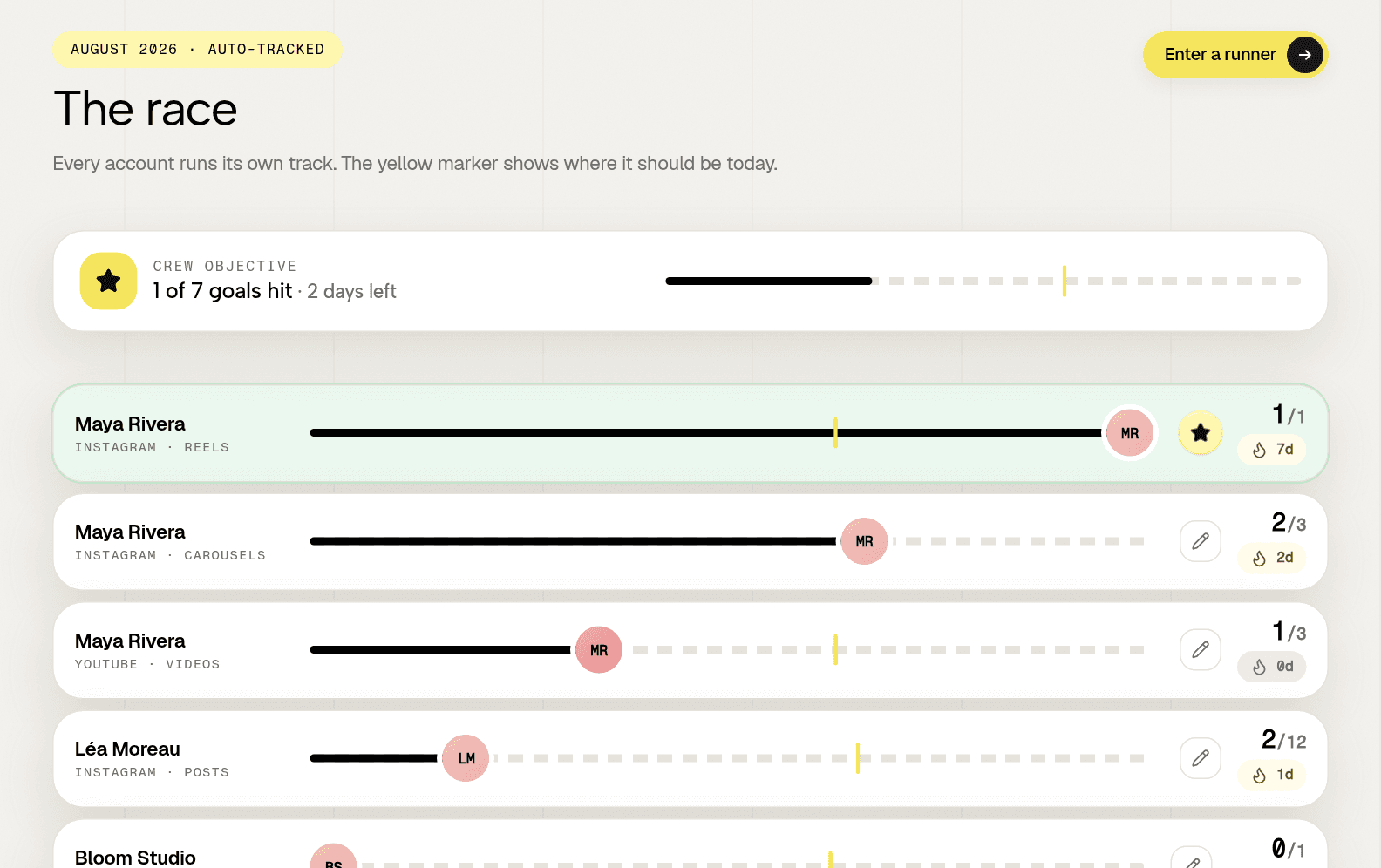
It reads public profiles. You paste a handle on TikTok, Instagram, YouTube or LinkedIn, and it reads that profile once a day: the posts it finds, when they were published, the follower count, and the public likes and comments on each post.
Because nothing is connected, an account you do not own behaves exactly like one you do. A prospect, a competitor and a client sit on the same board, with the same numbers next to each of them.
On top of that reading sits the thing an agency is actually accountable for: a cadence per person, hit or missed, with streaks. The reasoning behind sizing that number is in posting cadence for teams.
What Groowth does not do, plainly
This is the part a comparison page normally buries, so here it is in the middle. If any line below is central to your week, Groowth is not a replacement and you should keep your suite.
- It does not publish or schedule. No queue, no calendar, no drafts.
- It has no inbox. Comments and messages are not collected or answered.
- It does not run ads. Nothing about paid social.
- It never shows reach or impressions. Those need the account owner's login, which it does not ask for.
The last one is a design decision rather than a gap. A product that displays a number it cannot source is a product you cannot trust with the numbers it can. What is visible and what is not is mapped in public social media metrics.
Where each one wins
| The job | Better tool |
|---|---|
| Schedule a month of posts for a client | Hootsuite |
| Answer comments across client accounts | Hootsuite |
| Know whether five people held their cadence | Groowth |
| Watch a prospect before pitching them | Groowth |
| Benchmark three competitors | Groowth |
| Keep a client's history after they leave | Groowth |
Read the table as a division of labour rather than a scoreboard. The interesting question is not which product is better, it is which half of your month is costing you the most.
Using both, and what that costs
Most agencies that publish for clients end up with both, and the split is clean: the suite holds the accounts you post from, tracking holds everything else, including every account that will never be connected.
The saving is not usually the licence. It is that the tracking side has no per account cost shape, so adding a prospect or a competitor to your watch list stops being a budget decision.
How to choose
- You publish for your clients. Keep the suite, add tracking for prospects, competitors and cadence.
- Clients publish themselves. Tracking is the whole job. A publishing seat nobody uses is the most expensive line in the stack.
- Reporting eats the end of every month. Give the client a live read only view. See client reporting for personal branding.
- You need moderation at volume. Keep the suite. Nothing here answers a comment.
Check the numbers at the source
This page deliberately quotes no prices, plan names or feature lists for Hootsuite. Those move faster than any comparison page is updated, and a stale figure about another company is worse than no figure. The positioning above was last checked on 2026-08-21.
Onboarding a client, both ways
The difference nobody puts on a pricing page is what happens in the first two weeks of a retainer, when the contract has started and the work has not.
| Step | With connections | With public handles |
|---|---|---|
| Getting access | Chase logins and admin rights | Ask for profile links |
| Who has to act | Someone at the client, repeatedly | Anyone, once |
| Typical delay | One to three weeks | One call |
| Partial setup | Common, and it lingers | Not a state that exists |
| A person who says no | Blocks their own tracking | Still tracked if public |
That last row decides more programs than any feature. There is always one person who will not add an agency to their personal profile, and with connections that person is simply missing from every report for the life of the contract.
What running both actually costs
Agencies that publish for clients keep the suite and add tracking beside it, and the interesting part is not the second licence. It is that the two have different cost shapes, so they grow differently.
- The suite grows with accounts you operate. That number is bounded by how much publishing you sell.
- Tracking grows with accounts you watch. That number includes prospects and competitors, which are pure upside rather than delivery cost.
- Neither grows with your team. Check that before signing anything priced per seat.
The practical effect is that adding a prospect to your watch list stops being a budget conversation, which is the difference between benchmarking three competitors before a pitch and doing it from memory.
One sentence for the procurement form
If someone asks you to justify two tools instead of one, this is the sentence: the suite operates the accounts we post from, and tracking covers every account we do not, which is most of the ones our clients ask about.
It holds up because it is architectural rather than a feature preference. No amount of roadmap on either side changes which accounts can be connected, so the split will still be true next year.
- Keep the suite if publishing, scheduling or moderation is part of the deliverable.
- Add tracking if anyone you report on publishes under their own name, or if you pitch with benchmarks.
- Drop the suite if every client publishes themselves and nobody has opened the calendar in a month.
How Groowth handles this
One organisation per client, fully separated, with a read only seat you hand to the client. They see their own accounts and never another client's. Adding an account is pasting a public link, so onboarding a new client is a call rather than three weeks of credential chasing.
Three accounts free with no card, and a free audit that reads a single public profile without an account at all, which is the fastest way to see what public data gives you before changing anything.
Frequently asked questions
Is Groowth a replacement for Hootsuite?
Not for publishing. Groowth does not schedule posts, run an inbox or touch ads. It replaces the tracking, benchmarking and reporting half, which is the part a suite cannot do for accounts nobody connected.
Why can a suite not track accounts you do not own?
Because a suite writes to the accounts it works with, so connection is its architecture rather than a setup step. Reading a public profile writes nothing, which is why it works on a prospect, a competitor or a client who left.
What can you track without connecting an account?
Posts published and when, cadence held per person, follower counts and their trend, and the public likes and comments on each post. Not reach, impressions or demographics, which require the account owner's login on any tool.